Bài viết được sự cho phép của tác giả Trần Hữu Cương
Code ví dụ Spring Cloud Config Server
Trong bài này mình sẽ làm ví dụ về Spring Cloud Config Server load data cấu hình từ github hoặc từ các folder ở local.
Xem thêm các việc làm Spring lương cao trên TopDev
Code ví dụ Spring Cloud Config Server
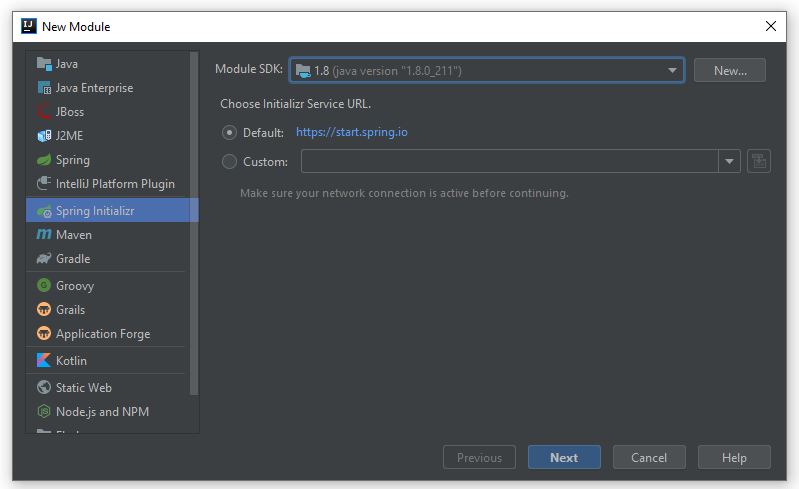
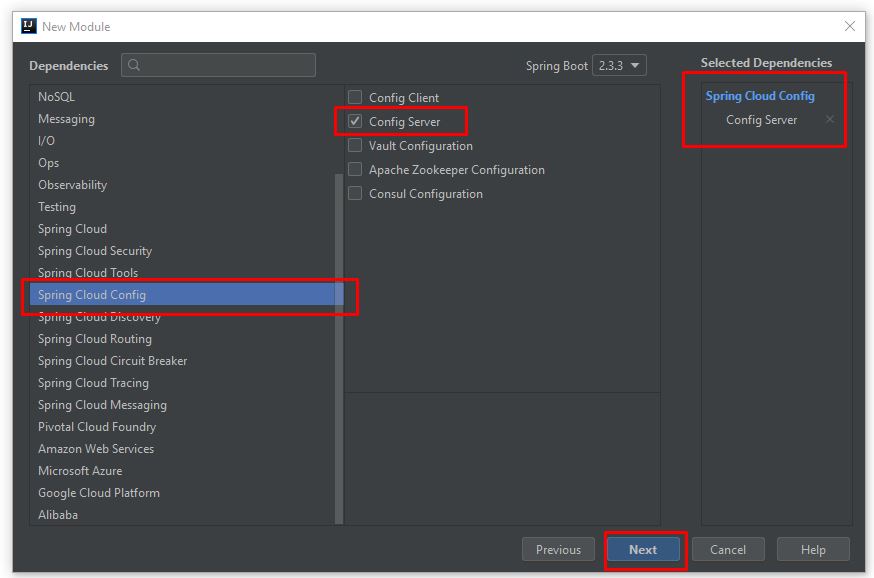
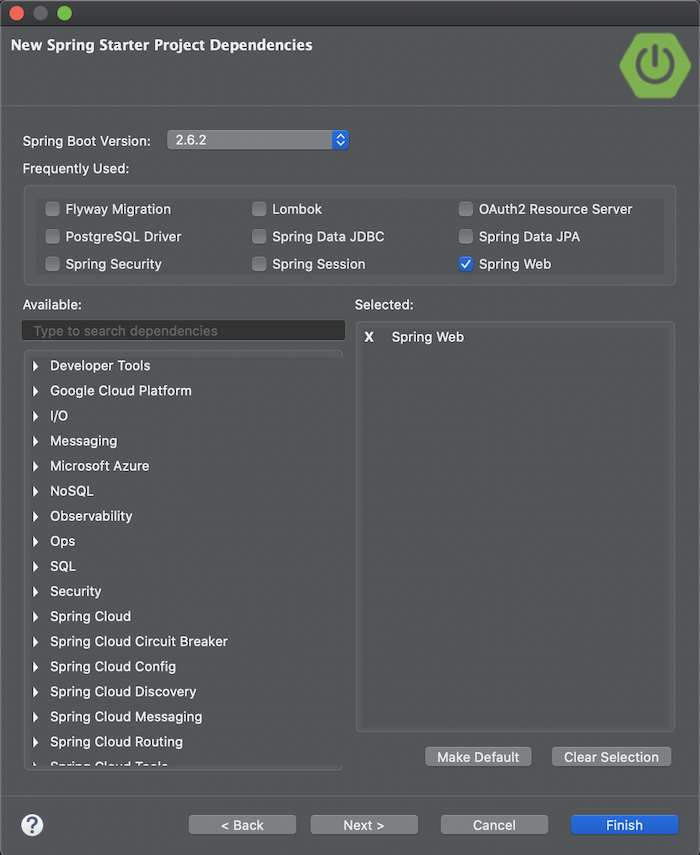
Tạo project Spring Boot: File > New > Module

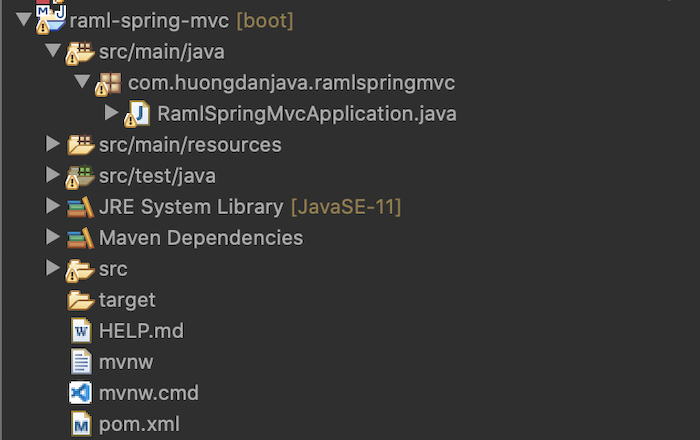
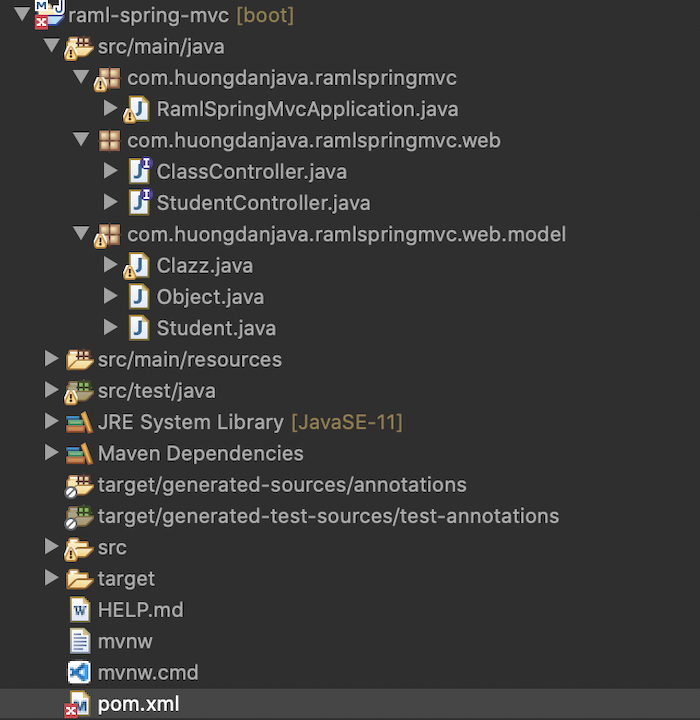
Đây là cấu trúc project sau khi hoàn thành.
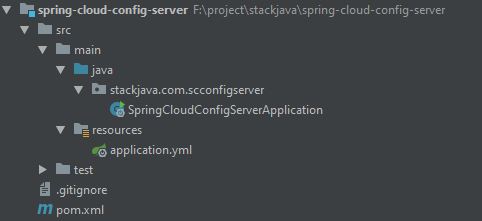
File Application: chúng ta thêm annotation @EnableConfigServer để nó hiểu đây là một Config Server
package stackjava.com.scconfigserver;

import org.springframework.boot.SpringApplication;
import org.springframework.boot.autoconfigure.SpringBootApplication;
import org.springframework.cloud.config.server.EnableConfigServer;

@EnableConfigServer
@SpringBootApplication
public class SpringCloudConfigServerApplication {

public static void main(String[] args) {
 SpringApplication.run(SpringCloudConfigServerApplication.class, args);
}

}
File cấu hình:
server:
 port: 8888

spring:
 cloud:
 config:
 server:
 git:
 uri: https://github.com/stackjava/spring-cloud-config-server-repo.git
 search-paths: demo
# username:
# password:

# uri: C:/Users/stackjava/Desktop/spring-cloud-config-server-repo
Trong ví dụ này chạy server trên port 8888 và lưu cấu hình ở github với uri như trên.
- Mặc định thì các file cấu hình lưu ở root folder, tuy nhiên nếu muốn load các file cấu hình ở folder con ta có thể dùng thêm
search-paths - Trường hợp git repository của bạn là private thì bạn có thể dùng thêm thuộc tính
username,password - Nếu bạn không muốn dùng github mà dùng một folder trên local để chứa các file cấu hình thì bạn thay uri bằng địa chỉ folder đó là được. (lưu ý, folder đó cũng phải là 1 repository, và chỉ những data đã được commit mới được sử dụng)
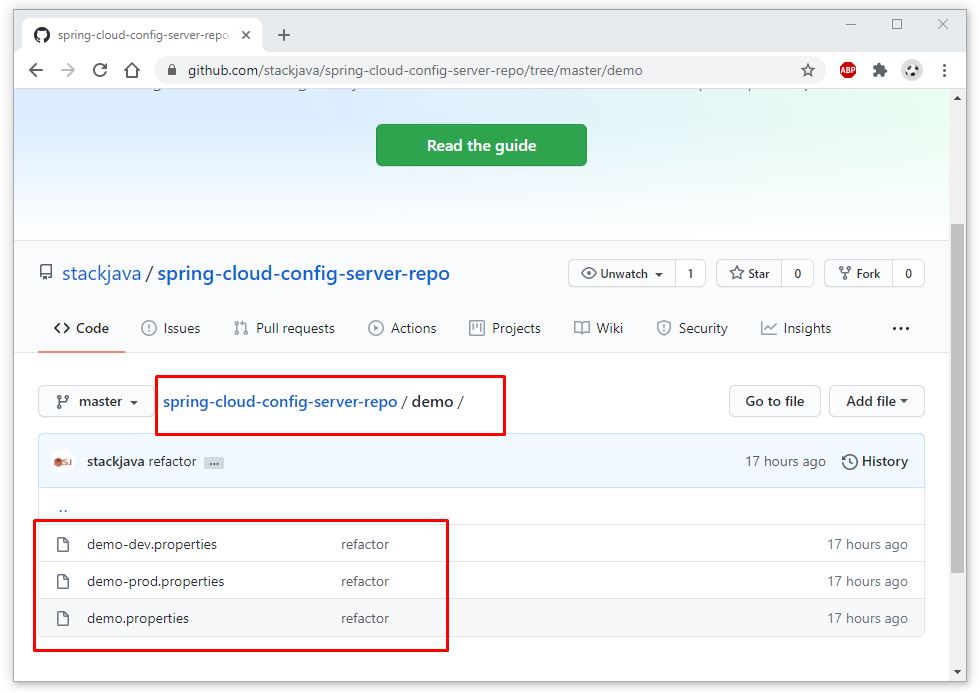
Đây là git repository của mình:
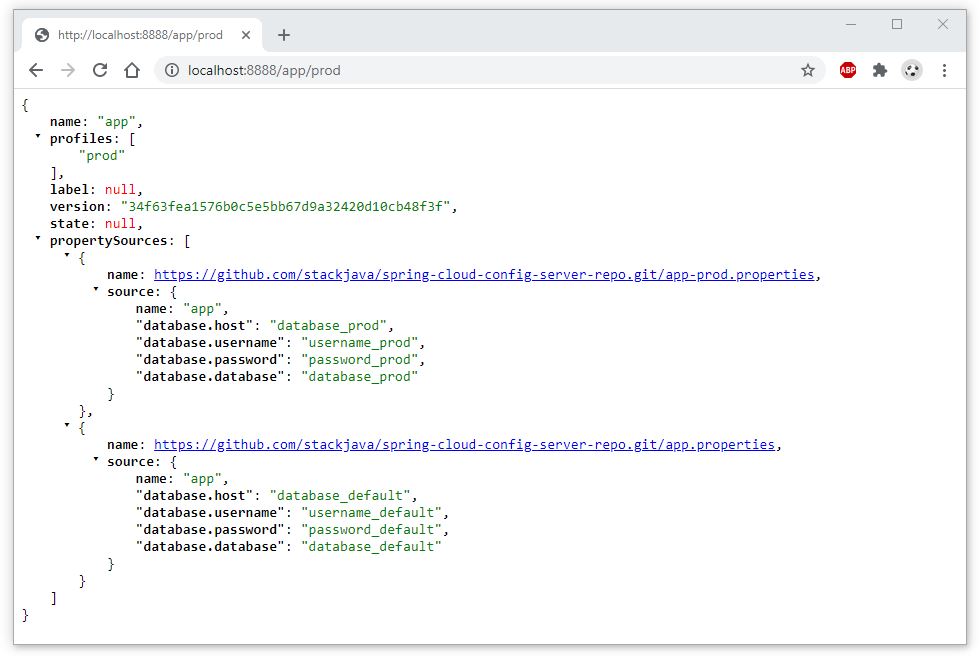
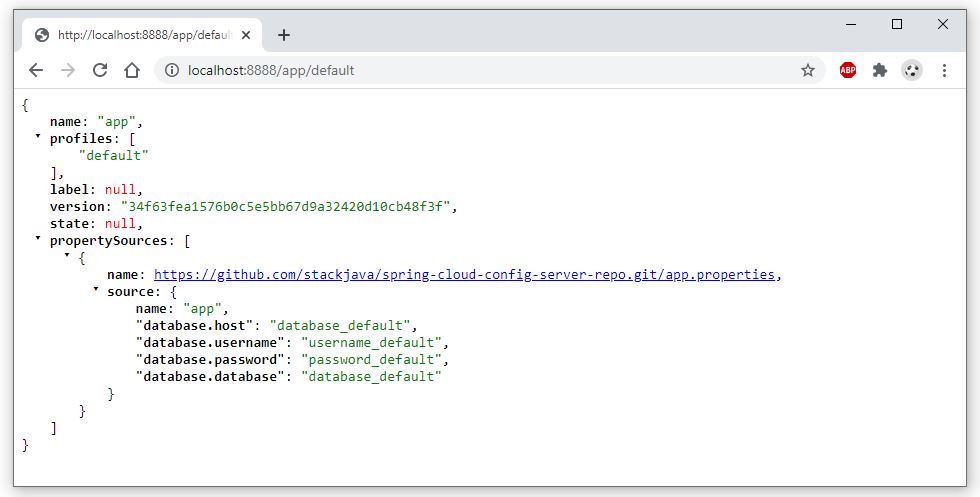
Gồm các file chứa cấu hình cho ứng dụng spring có name là app với các profiles khác nhau:

Tương tự mình có một sub folder để chứa cấu hình cho ứng dụng spring có name là demo với các profiles tương ứng:
Start ứng dụng spring boot này:
 . ____ _ __ _ _

 /\\ / ___'_ __ _ _(_)_ __ __ _ \ \ \ \

( ( )\___ | '_ | '_| | '_ \/ _` | \ \ \ \

 \\/ ___)| |_)| | | | | || (_| | ) ) ) )

 ' |____| .__|_| |_|_| |_\__, | / / / /

 =========|_|==============|___/=/_/_/_/

 :: Spring Boot :: (v2.3.3.RELEASE)


2020-08-20 09:54:57.120 INFO 7956 --- [ main] c.c.c.ConfigServicePropertySourceLocator : Fetching config from server at : http://localhost:8888

2020-08-20 09:54:58.878 INFO 7956 --- [ main] c.c.c.ConfigServicePropertySourceLocator : Located environment: name=app, profiles=[dev], label=null, version=34f63fea1576b0c5e5bb67d9a32420d10cb48f3f, state=null

2020-08-20 09:54:58.879 INFO 7956 --- [ main] b.c.PropertySourceBootstrapConfiguration : Located property source: [BootstrapPropertySource {name='bootstrapProperties-configClient'}, BootstrapPropertySource {name='bootstrapProperties-https://github.com/stackjava/spring-cloud-config-server-repo.git/app-dev.properties'}, BootstrapPropertySource {name='bootstrapProperties-https://github.com/stackjava/spring-cloud-config-server-repo.git/app.properties'}]

2020-08-20 09:54:58.884 INFO 7956 --- [ main] s.c.s.SpringCloudConfigClientApplication : The following profiles are active: dev

2020-08-20 09:54:59.256 INFO 7956 --- [ main] o.s.cloud.context.scope.GenericScope : BeanFactory id=ab77c954-7bc9-3c62-b748-55ed0878c2e0

2020-08-20 09:54:59.407 INFO 7956 --- [ main] o.s.b.w.embedded.tomcat.TomcatWebServer : Tomcat initialized with port(s): 7777 (http)

2020-08-20 09:54:59.413 INFO 7956 --- [ main] o.apache.catalina.core.StandardService : Starting service [Tomcat]

2020-08-20 09:54:59.413 INFO 7956 --- [ main] org.apache.catalina.core.StandardEngine : Starting Servlet engine: [Apache Tomcat/9.0.37]

2020-08-20 09:54:59.415 INFO 7956 --- [ main] o.a.catalina.core.AprLifecycleListener : An older version [1.2.21] of the Apache Tomcat Native library is installed, while Tomcat recommends a minimum version of [1.2.23]

2020-08-20 09:54:59.415 INFO 7956 --- [ main] o.a.catalina.core.AprLifecycleListener : Loaded Apache Tomcat Native library [1.2.21] using APR version [1.6.5].

2020-08-20 09:54:59.415 INFO 7956 --- [ main] o.a.catalina.core.AprLifecycleListener : APR capabilities: IPv6 [true], sendfile [true], accept filters [false], random [true].

2020-08-20 09:54:59.415 INFO 7956 --- [ main] o.a.catalina.core.AprLifecycleListener : APR/OpenSSL configuration: useAprConnector [false], useOpenSSL [true]

2020-08-20 09:54:59.418 INFO 7956 --- [ main] o.a.catalina.core.AprLifecycleListener : OpenSSL successfully initialized [OpenSSL 1.1.1a 20 Nov 2018]

2020-08-20 09:54:59.499 INFO 7956 --- [ main] o.a.c.c.C.[Tomcat].[localhost].[/] : Initializing Spring embedded WebApplicationContext

2020-08-20 09:54:59.499 INFO 7956 --- [ main] w.s.c.ServletWebServerApplicationContext : Root WebApplicationContext: initialization completed in 603 ms

2020-08-20 09:54:59.643 INFO 7956 --- [ main] o.s.s.concurrent.ThreadPoolTaskExecutor : Initializing ExecutorService 'applicationTaskExecutor'

2020-08-20 09:55:00.429 INFO 7956 --- [ main] o.s.b.w.embedded.tomcat.TomcatWebServer : Tomcat started on port(s): 7777 (http) with context path ''

2020-08-20 09:55:01.028 INFO 7956 --- [ main] s.c.s.SpringCloudConfigClientApplication : Started SpringCloudConfigClientApplication in 6.098 seconds (JVM running for 7.174)

2020-08-20 09:55:37.804 INFO 7956 --- [nio-7777-exec-1] o.a.c.c.C.[Tomcat].[localhost].[/] : Initializing Spring DispatcherServlet 'dispatcherServlet'

2020-08-20 09:55:37.804 INFO 7956 --- [nio-7777-exec-1] o.s.web.servlet.DispatcherServlet : Initializing Servlet 'dispatcherServlet'

2020-08-20 09:55:37.809 INFO 7956 --- [nio-7777-exec-1] o.s.web.servlet.DispatcherServlet : Completed initialization in 5 ms
Bạn có thể xem thông tin các file cấu hình theo path như sau:
/{application}/{profile}[/{label}]
/{application}-{profile}.yml
/{label}/{application}-{profile}.yml
/{application}-{profile}.properties
/{label}/{application}-{profile}.properties
Ví dụ: http://localhost:8888/app/dev để xem thông tin cấu hình của ứng dụng app với profiles là dev
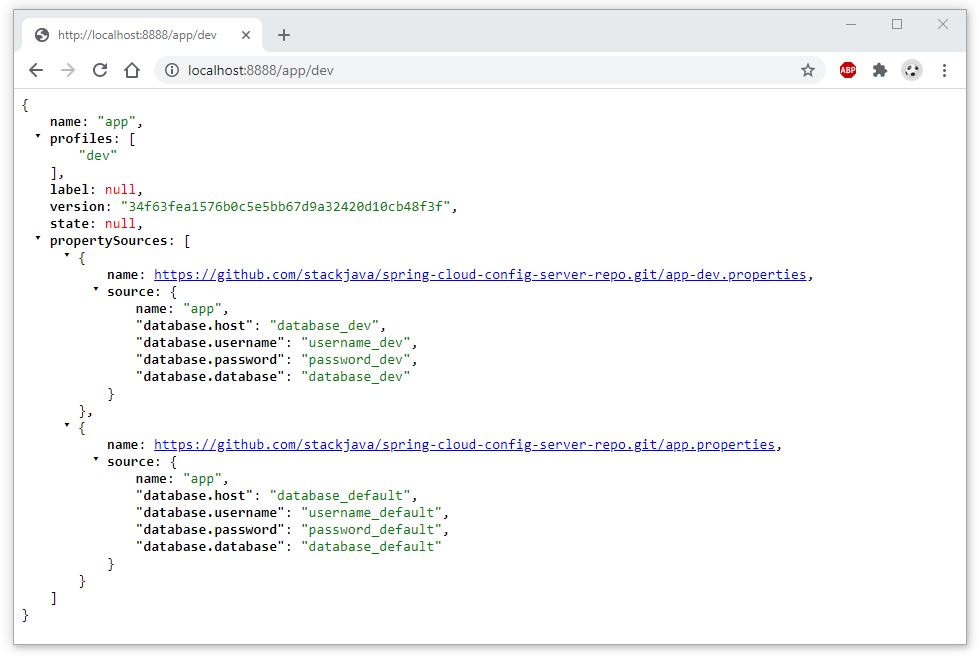
Hoặc: http://localhost:8888/app-dev.properties
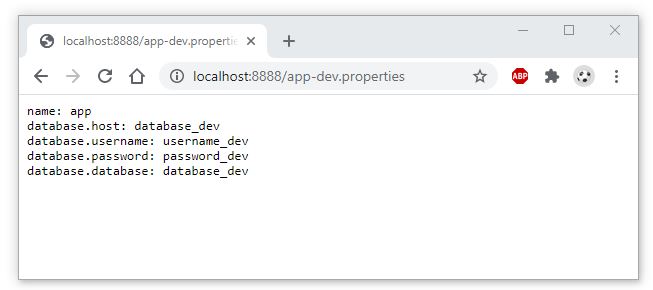
Tương tự xem các cấu hình khác:
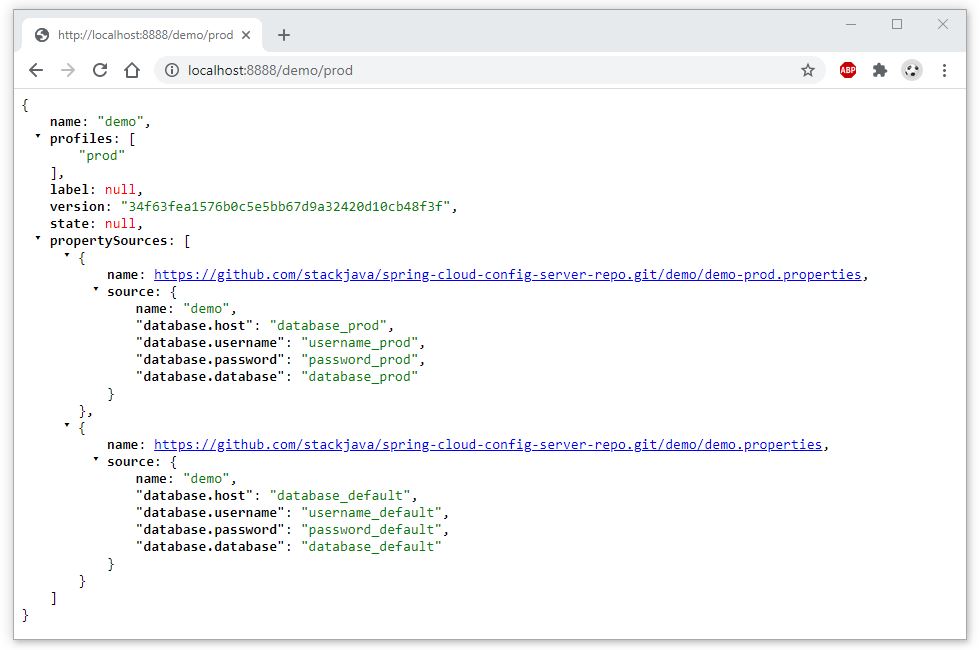
Okay, Done!
Download code ví dụ tại đây hoặc tại https://github.com/stackjava/spring-cloud-config-server
References: https://cloud.spring.io/spring-cloud-config/reference/html/#_spring_cloud_config_server
Bài viết gốc được đăng tải tại stackjava.com
Có thể bạn quan tâm:
- Xác thực trong Spring Cloud Config (Spring Cloud Config Authenticate)
- Building Microservices Application – Phần 1: Sử dụng Netflix Eureka, Ribbon và Zuul
- Building Microservices Application – Phần 3: Xác thực API bằng Oauth 2.0
Xem thêm các việc làm công nghệ hấp dẫn trên TopDev











 Thật sự phân vân – LOL
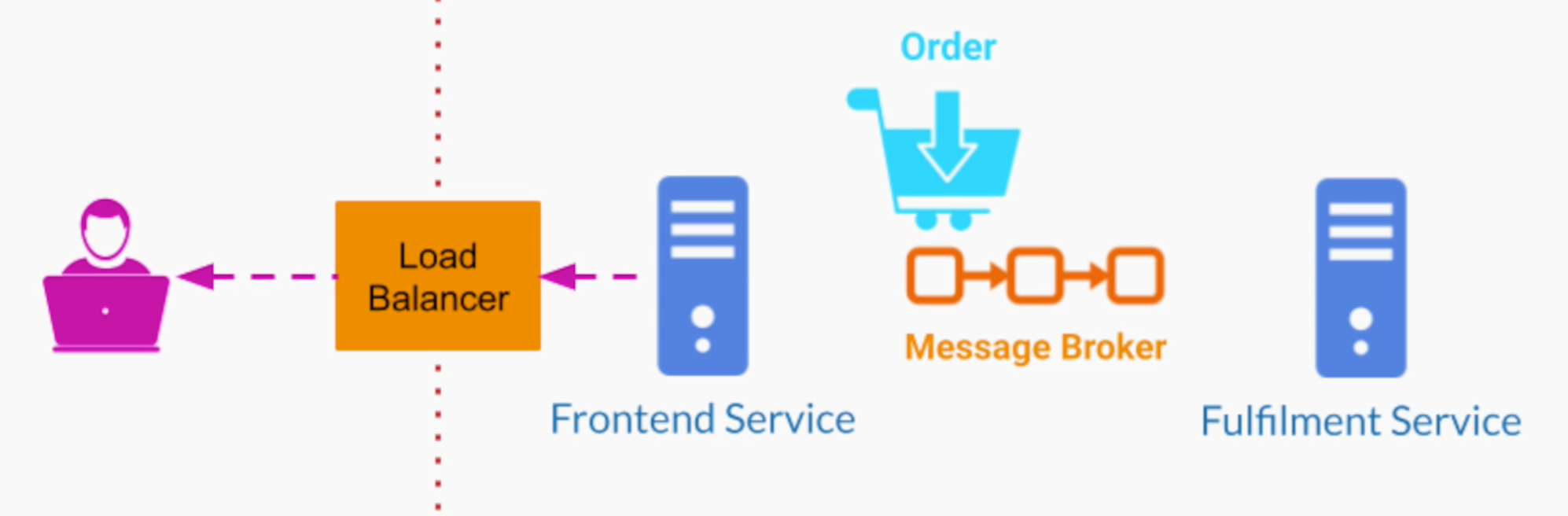
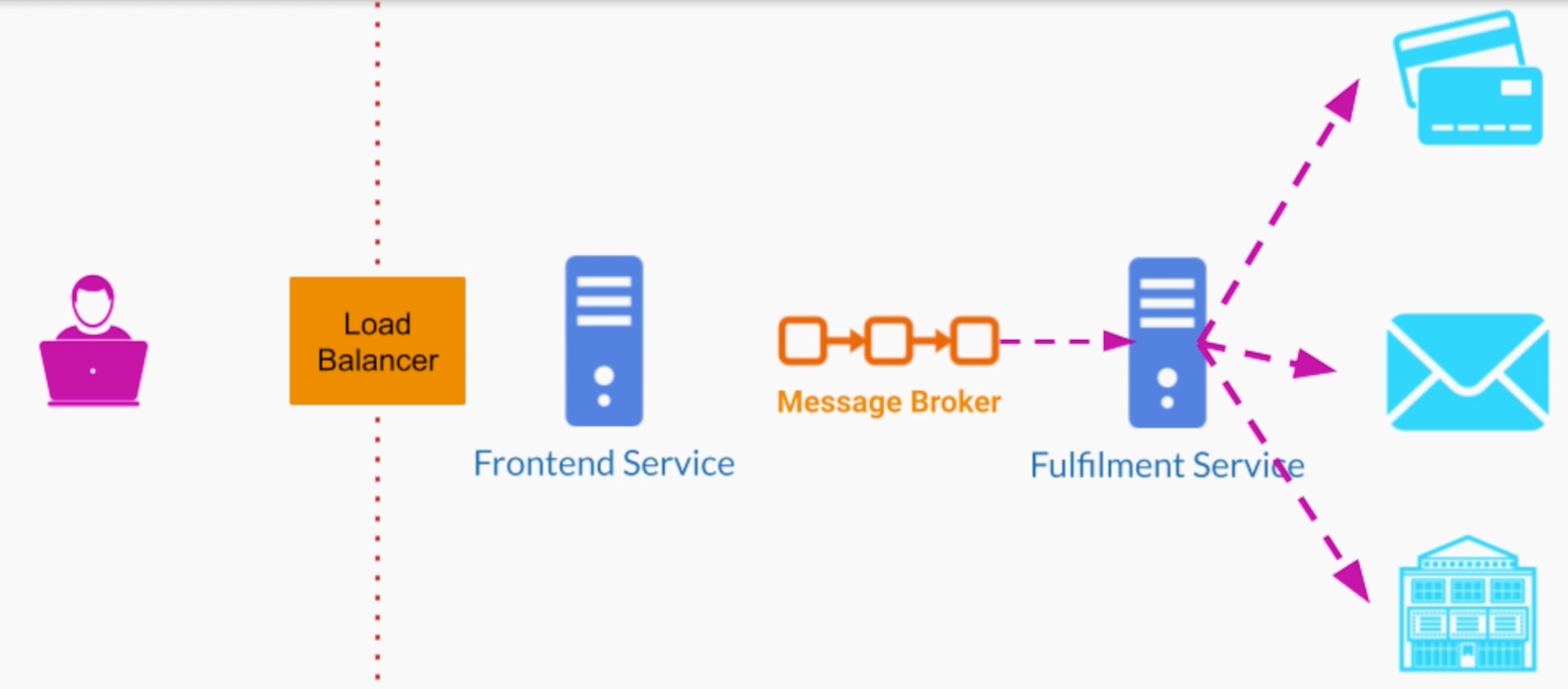
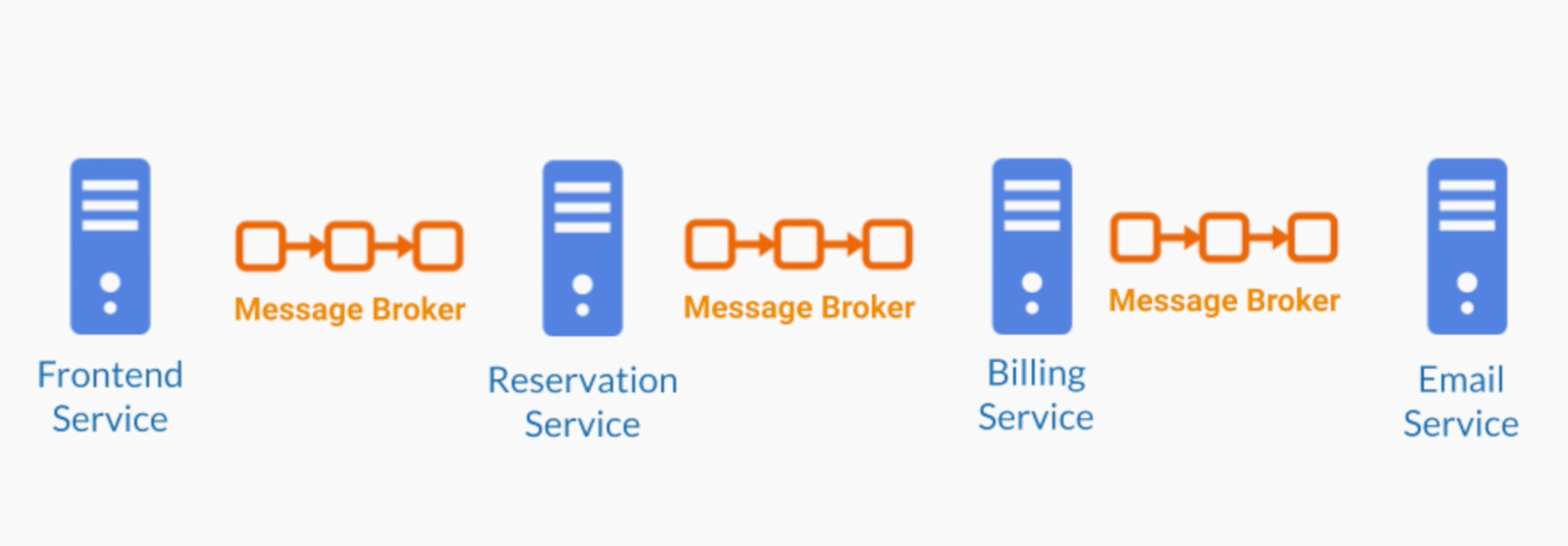

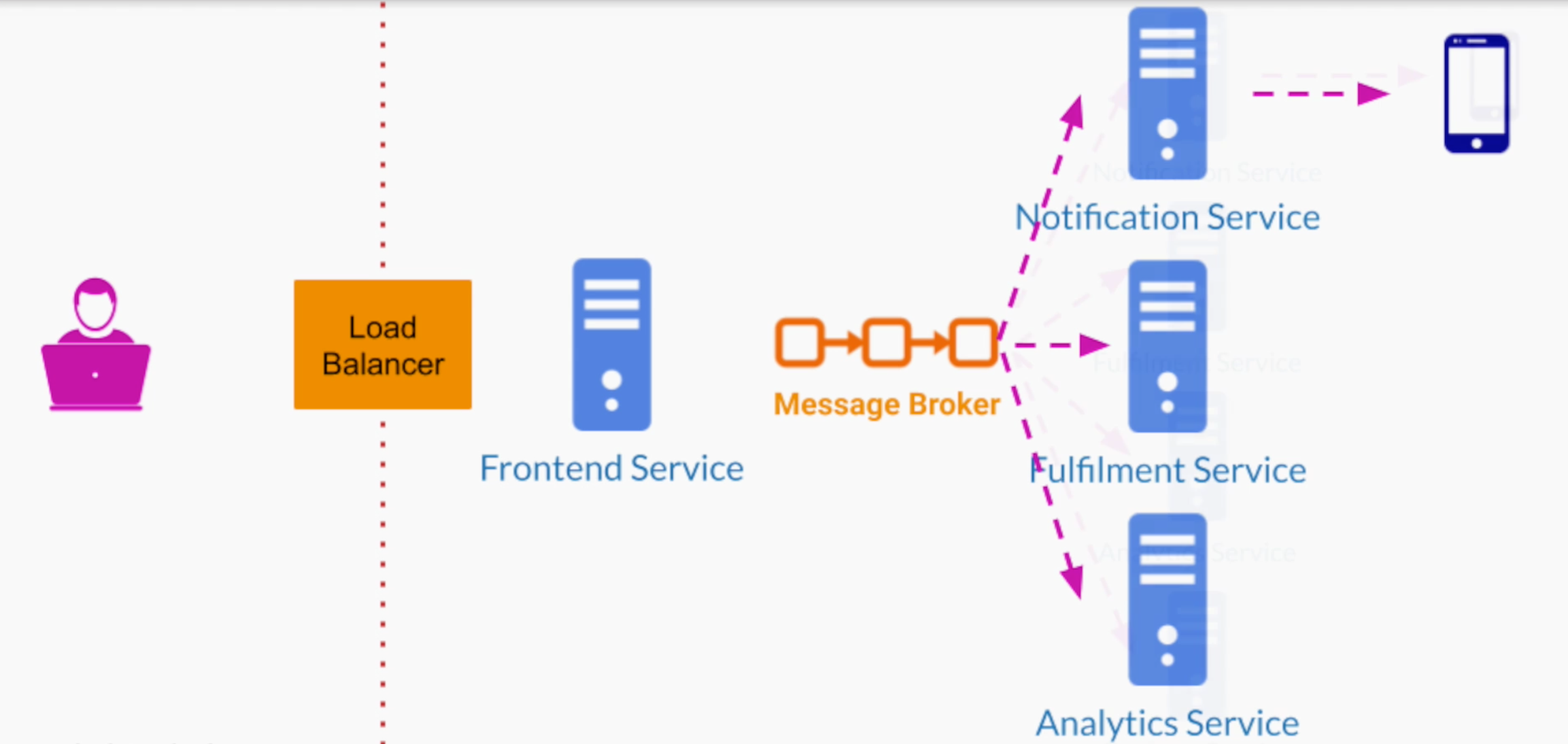











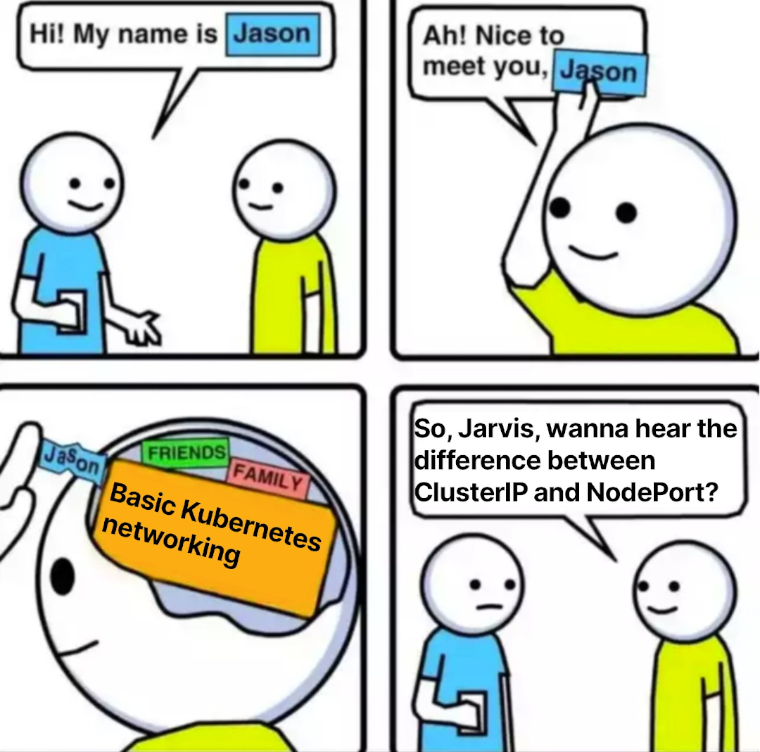
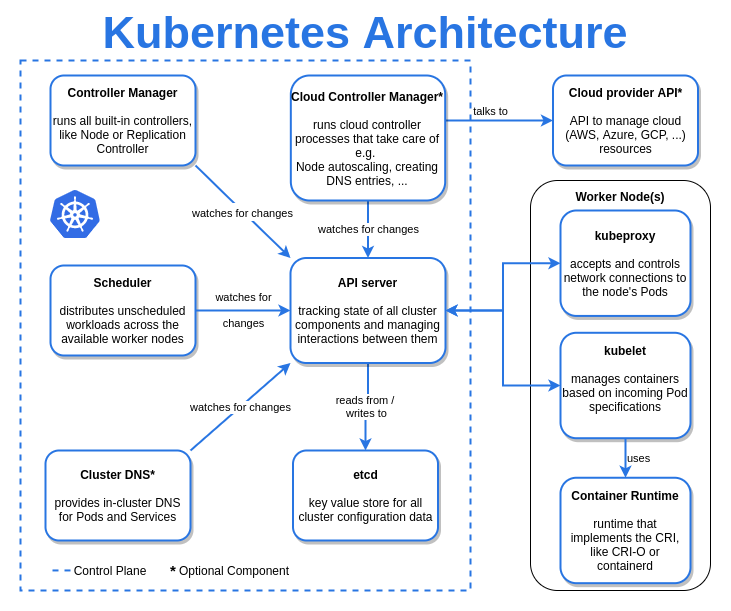 Trời má, chưa biết gì mà nhìn cái Architecture muốn nhức cả đầu.
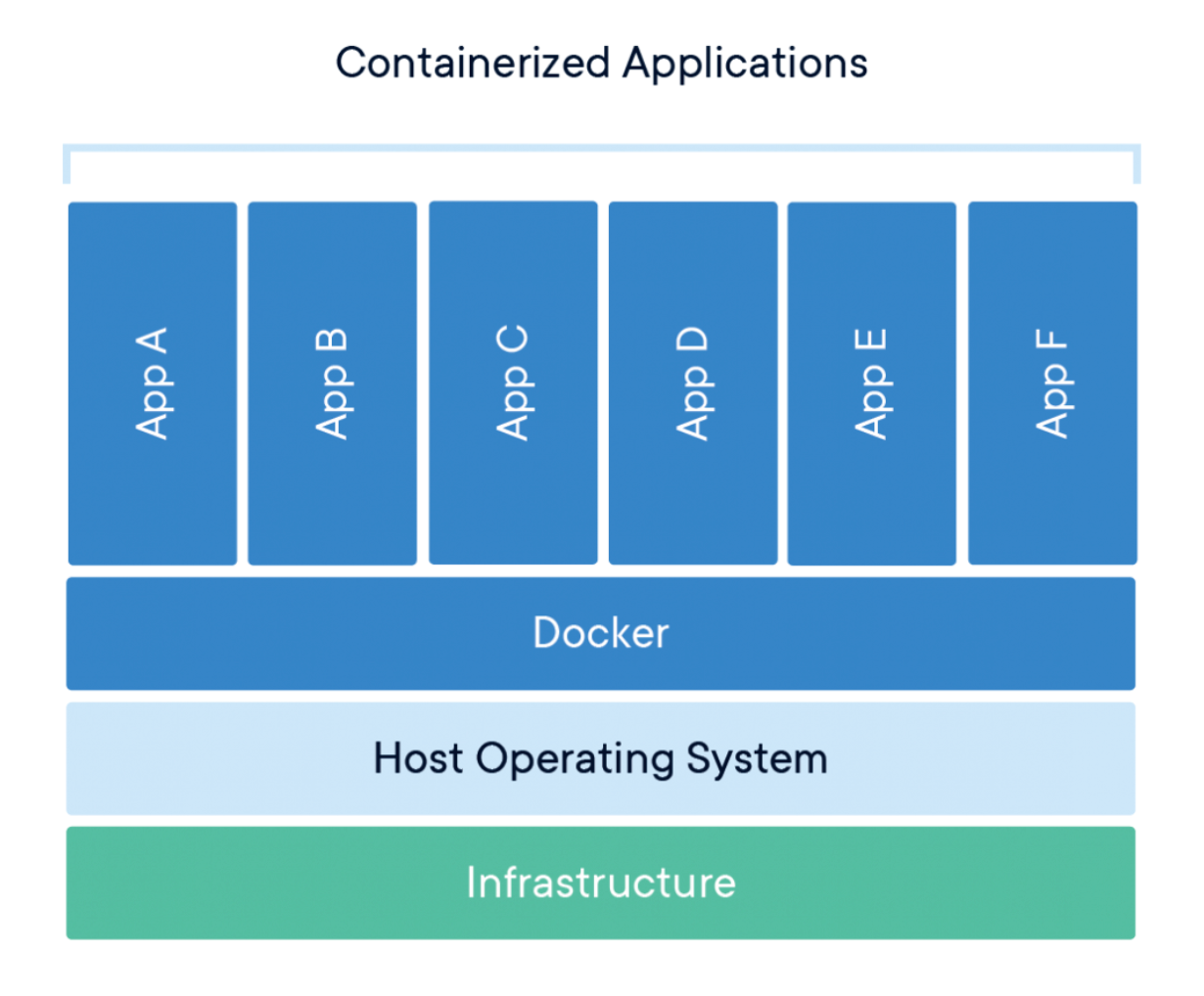 Docker Container bao gồm mọi thứ cần thiết để chạy software hoặc applications của chúng ta. Nguồn ảnh/ Source:
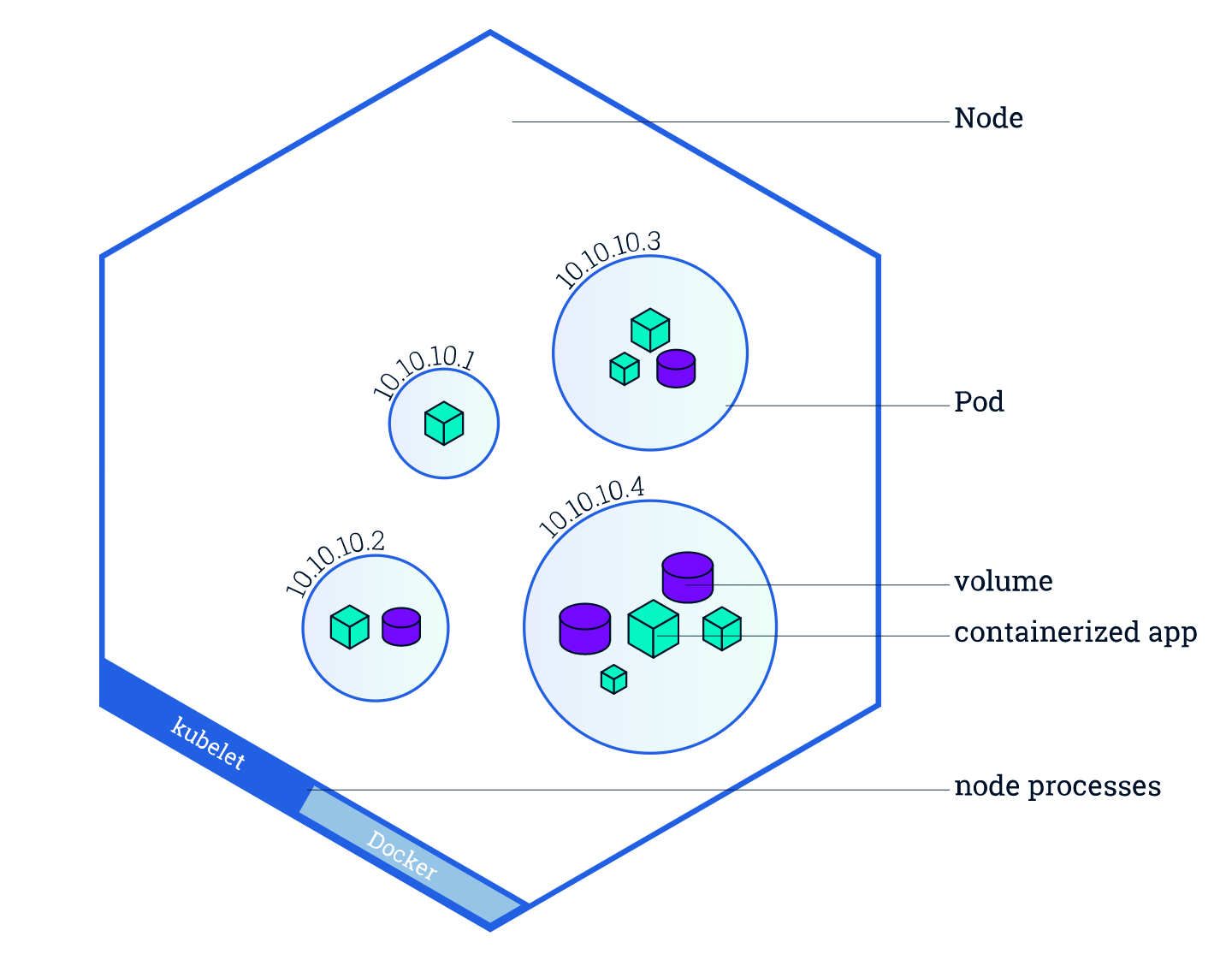
 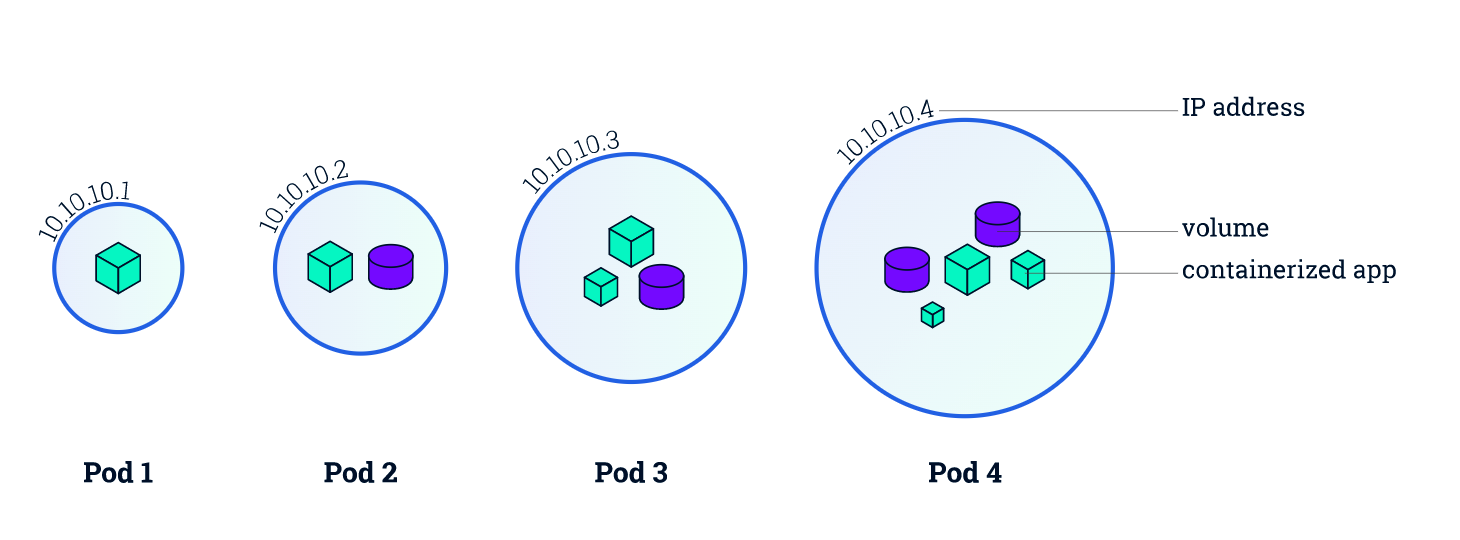 Ngoài container, pod còn bao gồm IP address, và version của container image. Nguồn ảnh/ Source:
  Nguồn Ảnh/ Source:
  Nguồn Ảnh/ Source:

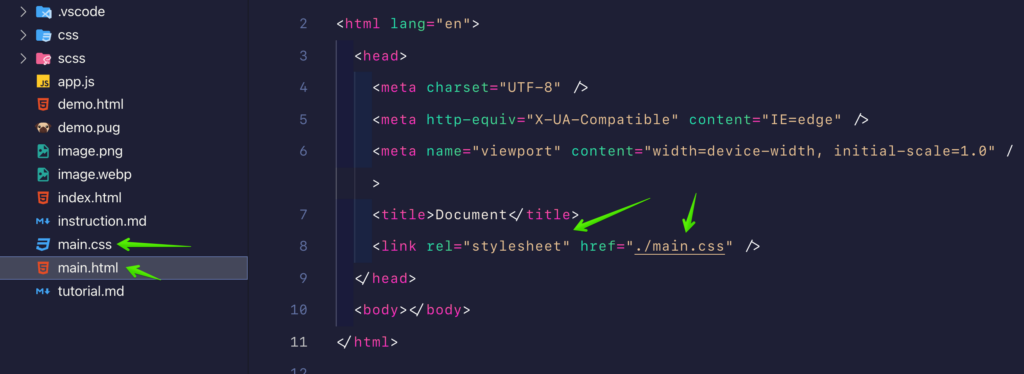 Chèn file main.css vào file main.html
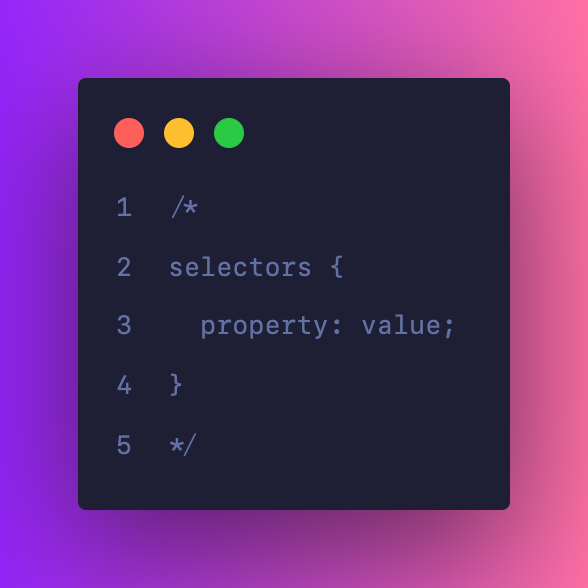 Cấu trúc CSS
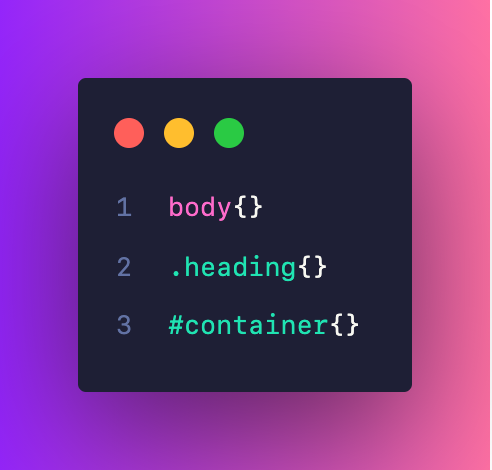 Cấu trúc đoạn code CSS cơ bản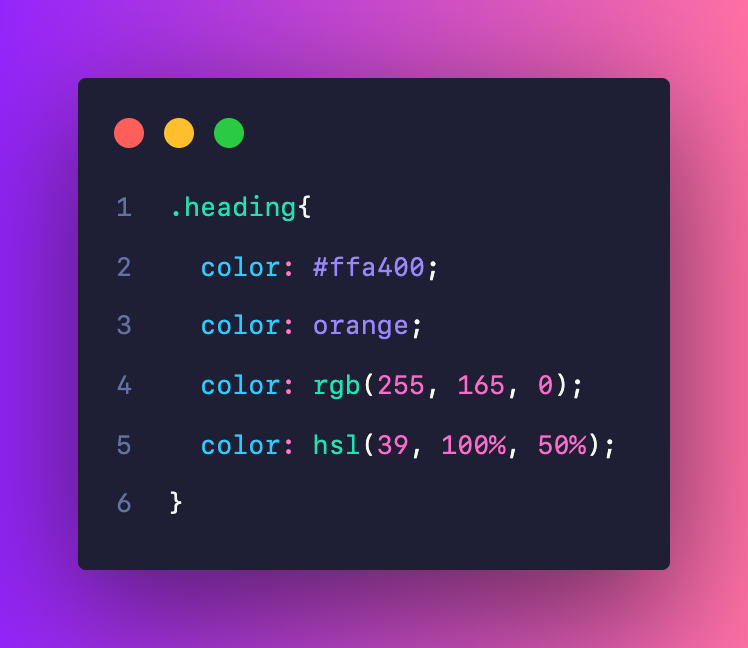
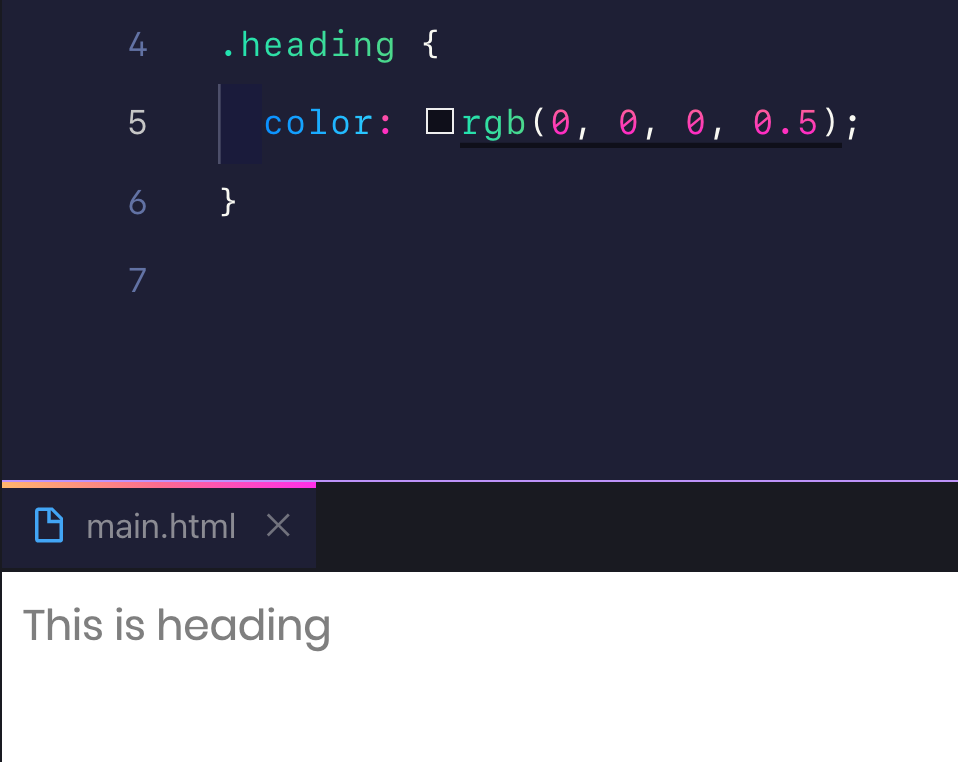 Thay đổi màu chữ của class heading
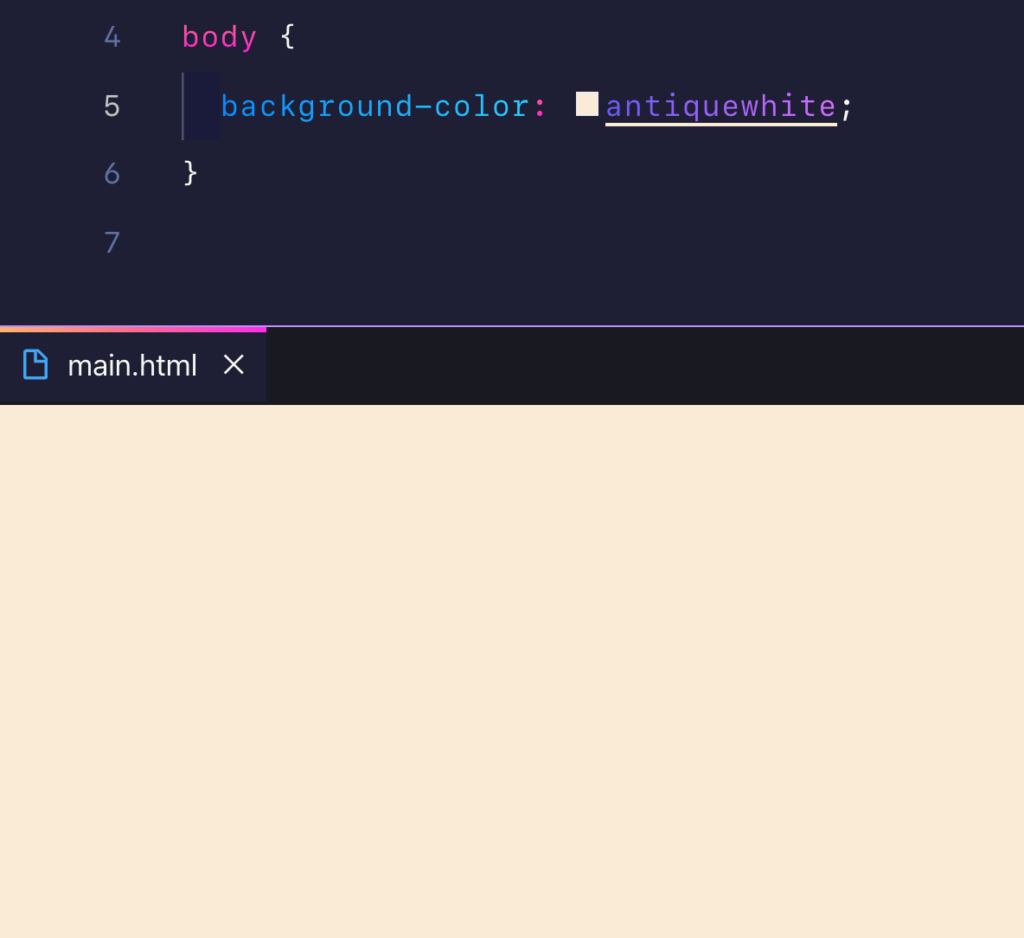 Thay đổi màu nền trang web với background-color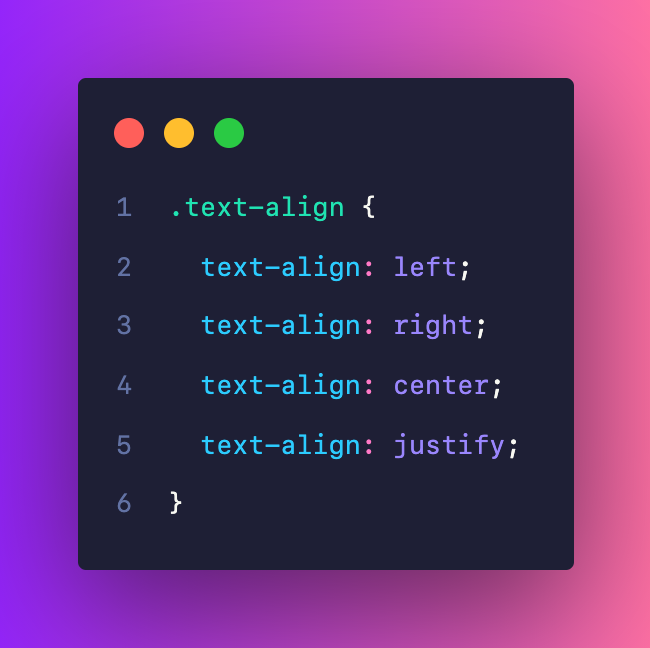
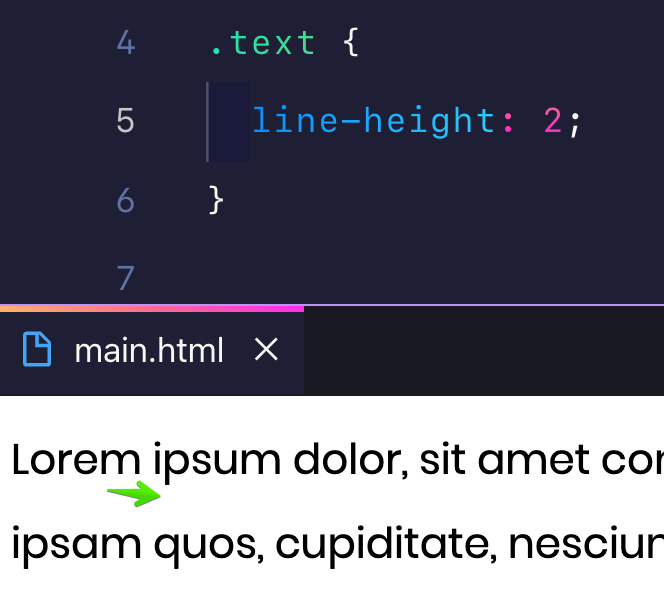
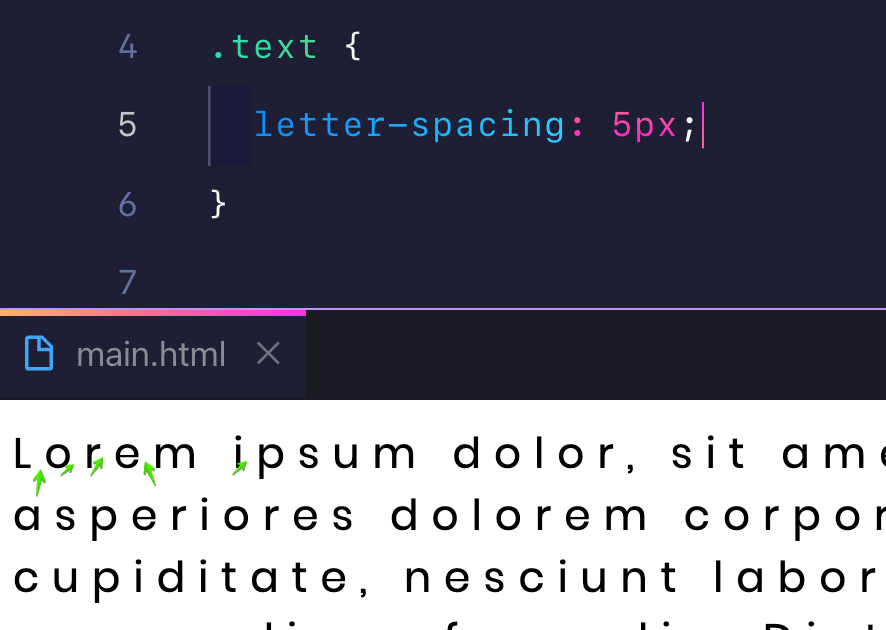
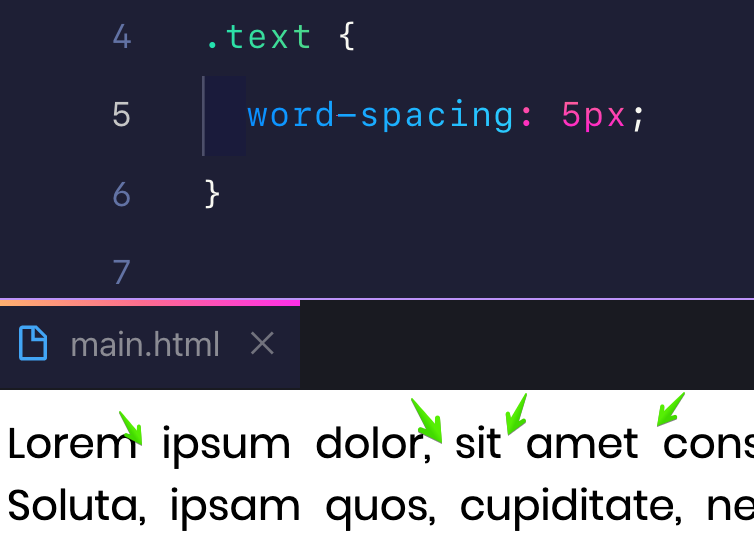
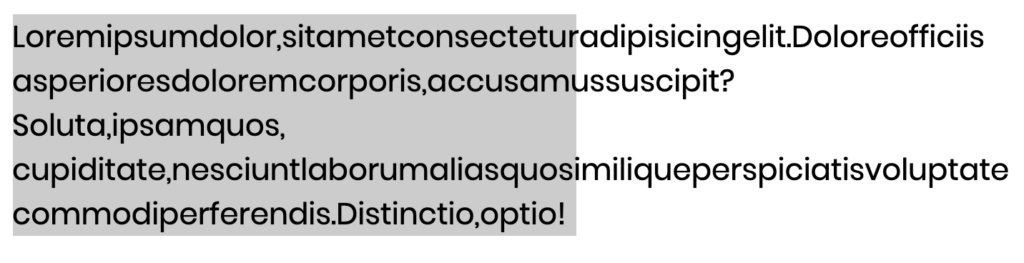
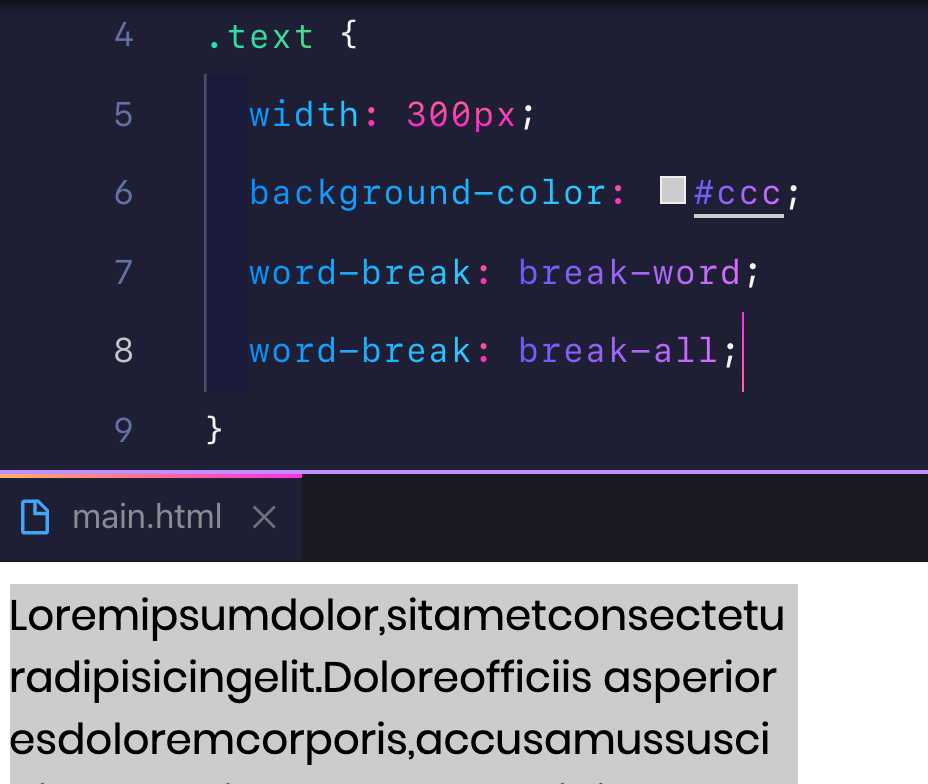 Xử lý chữ dính nhau với work-break
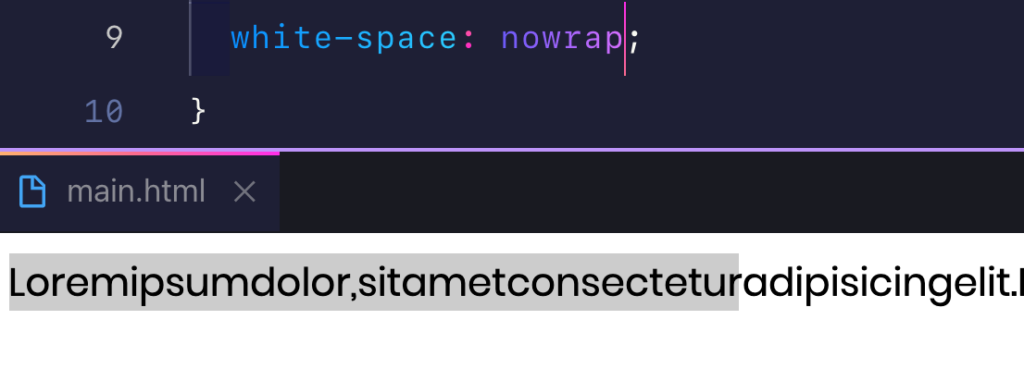 Chữ bị tràn ra ngoài khi dùng nowrap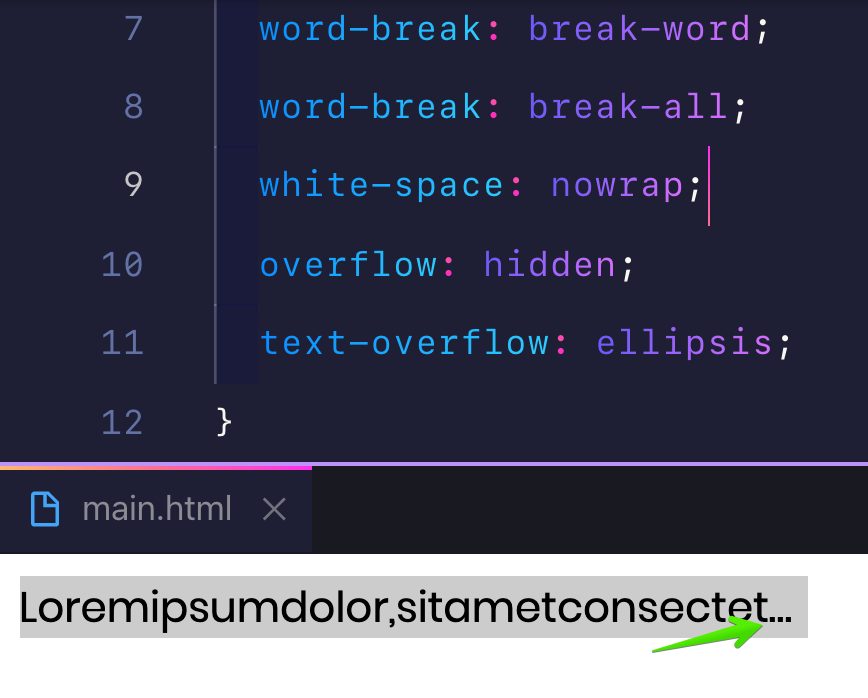







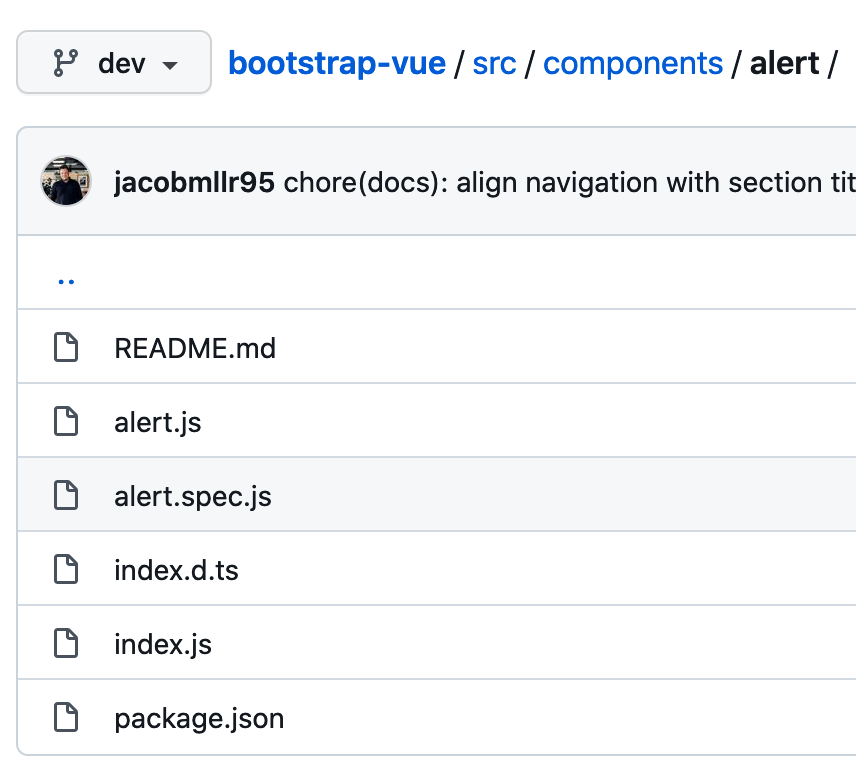
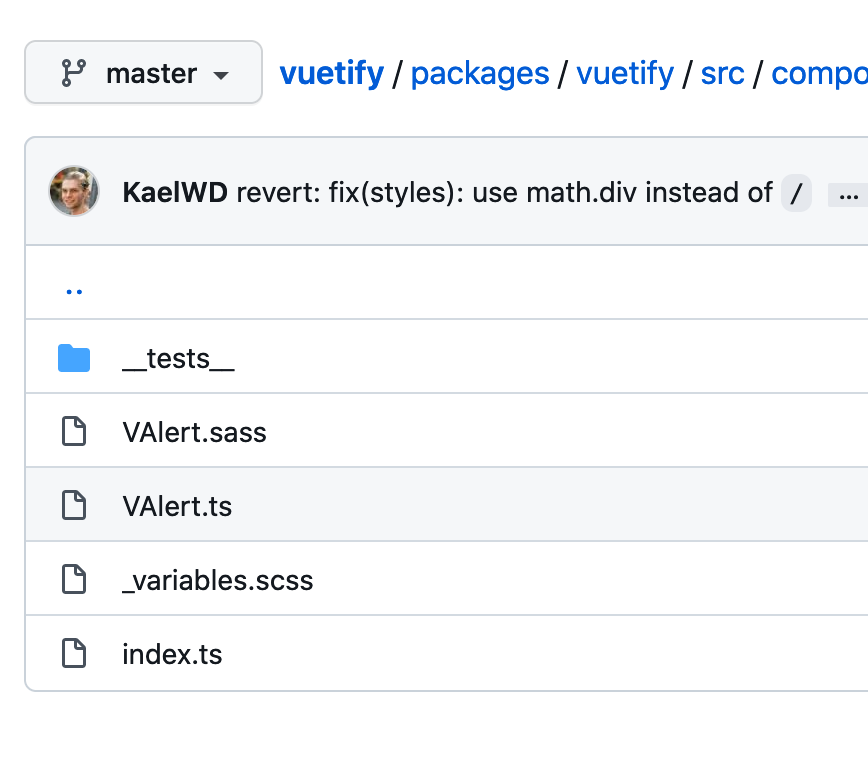
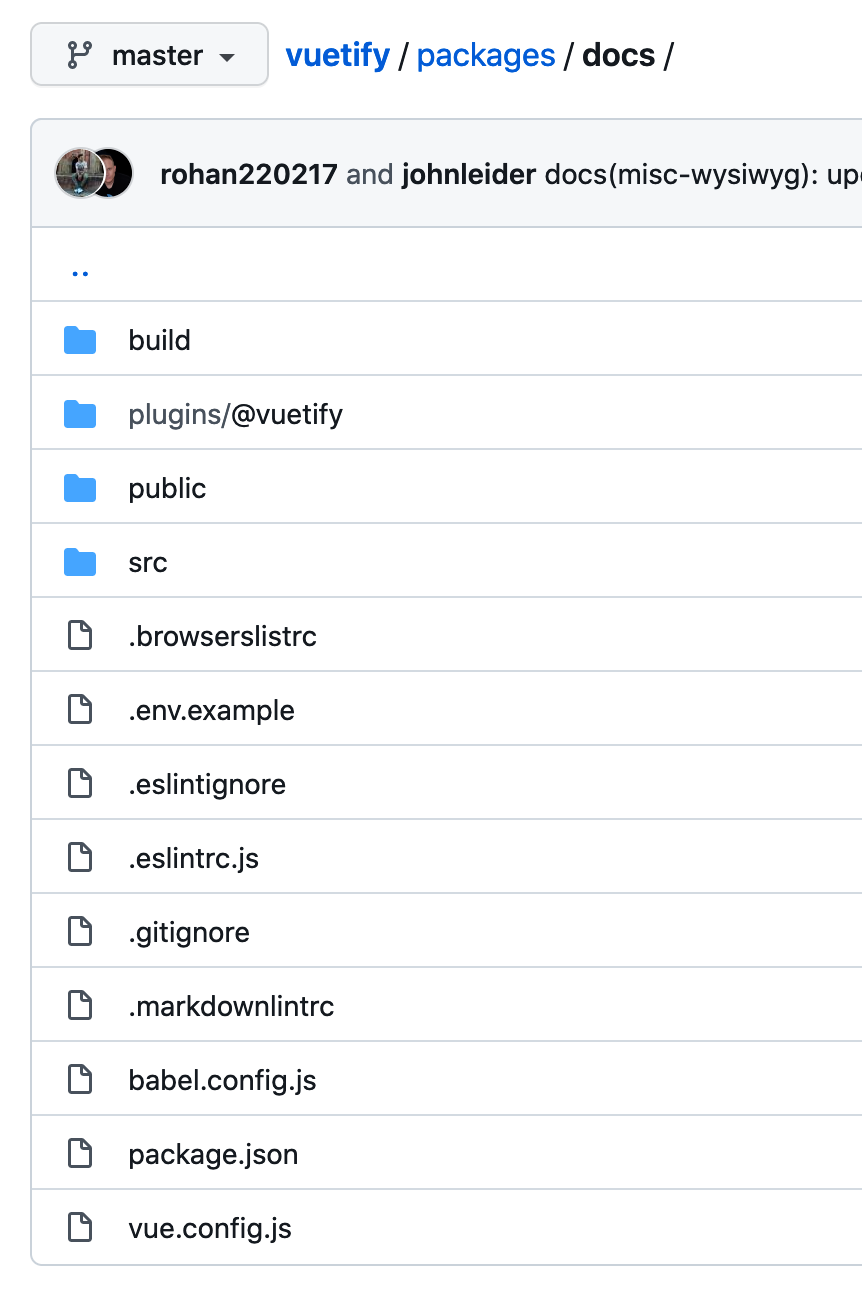 Tự viết docs theo kiểu Vuetify
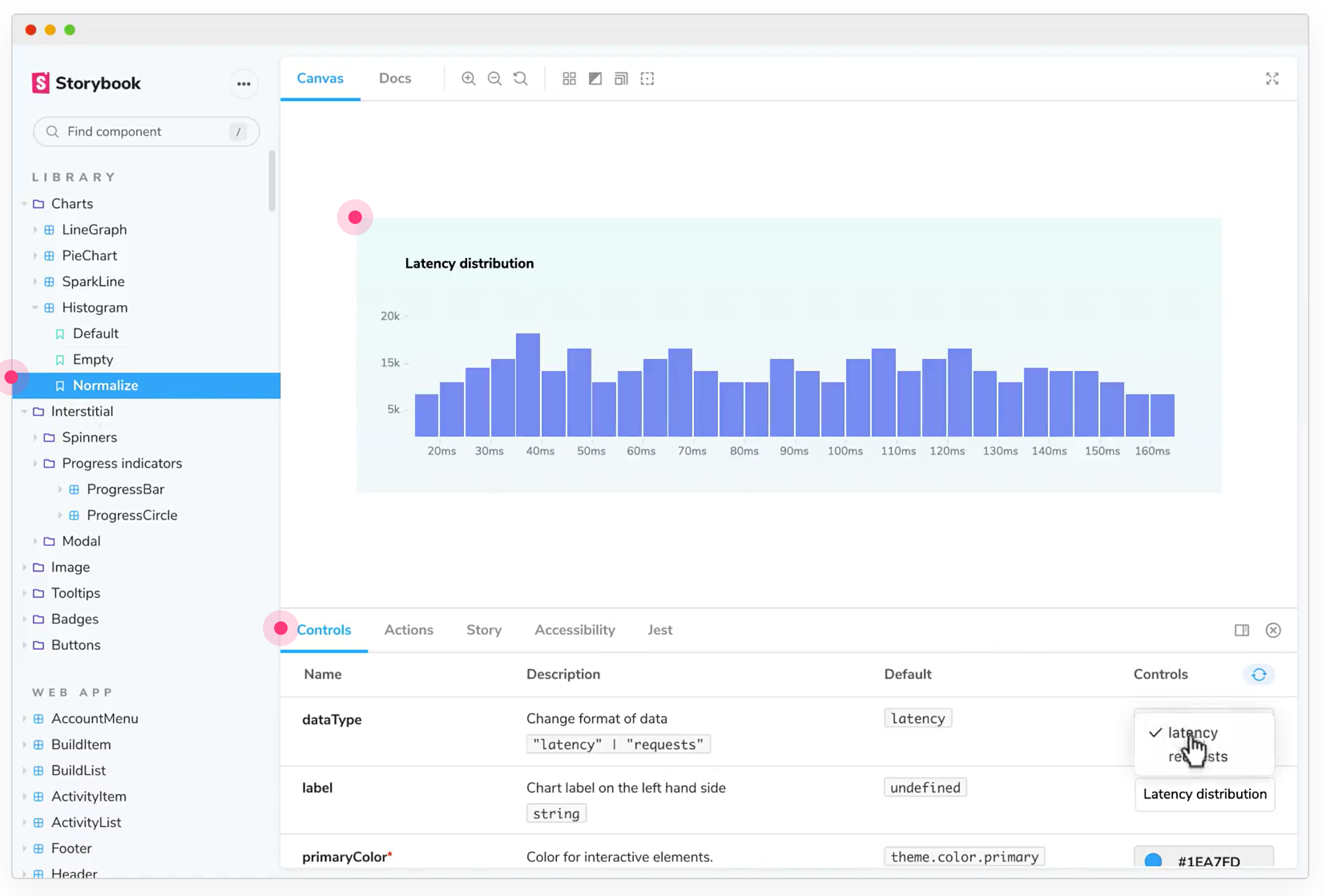 Hoặc sử dụng Storybook
 Các component chung thường gom vào một chỗ